
Im Maileon Help-Center finden Sie umfassende Dokumentationen zu unserem System.
Beliebte Suchanfragen: Importe | Rest-API | Integrationen | SMS
Webhooks – Outgoing (Calls from Maileon to Third-Party-Webhook)
Description
External webhooks are resources that allow Maileon to instantly submit information to a third party system when a given event like an unsubscription occurs. Webhooks use POST requests to submit the information. If the product is enabled for you, you can set up the webhooks in Maileon under “Settings > Webhooks”.
Important Notice
Webhook configuration is currently limited as parameter „Checksum“ is not selectable but will be added.
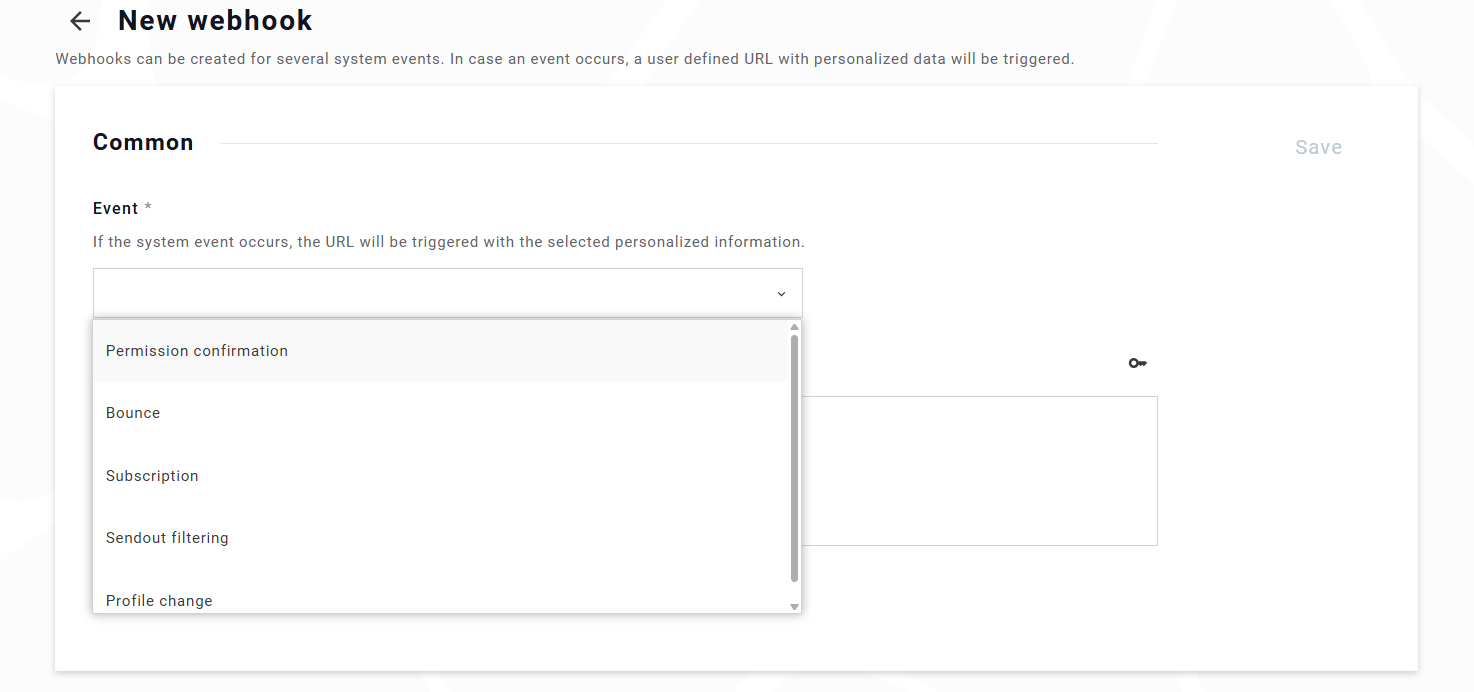
Possible event types:
- DOI confirmation
This is sent as soon as a contact clicks on the DOI confirmation link in an email. - Bounce
As soon as a bounce is received, this webhook will be called. For a list of bounce codes, please check this page: bounce codes - Unsubscription
All possible ways to unsubscribe, e.g. unsubscribe link in mails, over API, manual responses, …. The source can also be submitted and possible values are identical with the unsubscription reports resource. - Personalization errors
Mails failed due to personalization errors, such as a missing mandatory field (e.g., lastname) without an available fallback. - Contact field change
This reacts only on „contact field change links“; so e.g. if you send a link that changes some field from true to false, this will trigger this webhook. It will NOT trigger, when contacts are updated via UI or API.
Technical Details
| Property | Value | Notes |
|---|---|---|
| HTTP Protocol | HTTPS | Only encrypted connections are allowed. |
| HTTP Method | POST | All webhook calls are sent as HTTP POST requests. |
| Content-Type header | application/json (when body exists) | If the webhook delivers a JSON payload, Content-Type: application/json is set.If no JSON data exists, the request has no body and typically no Content-Type header. |
| Request timeout | 5 seconds | If the endpoint does not respond within 5 seconds, a timeout is treated as a failed request. |
| Redirect handling | No redirects | 3xx responses are treated like 4xx: the event is dropped without retries. |
| TLS / certificate errors | No retries | Certificate validation errors are treated as permanent failures. |
| Successful response codes | 2xx | Any HTTP status in the 2xx range ends all retries and marks the event as delivered. |
| Non-retriable responses | 3xx, 4xx, and TLS errors | These are treated as permanent failures, and the event is dropped immediately. |
| Retriable errors | 5xx + network errors | Includes timeouts, connection issues, and server errors. |
| Immediate retries (consecutive) | Up to ~3 POSTs in sequence | For retriable failures (5xx/network), the system sends multiple consecutive POST requests before marking the attempt as failed. This legacy behavior is kept as an extra safeguard. |
| Definition of an „attempt“ | One attempt = consecutive retry sequence | If all consecutive POSTs fail, this sequence counts as one failed attempt. |
| Delayed retry attempts | Up to 3 attempts | After a failed attempt, up to three delayed attempts are queued. Schedule: 5 min, 1 h, 22 h.Each attempt again performs the consecutive POST retry sequence. |
| Backoff strategy | 5 min → 1 h → 22 h | Simple increasing interval between delayed attempts. |
| „Badness“ evaluation | Dynamic adjustment | The system tracks how often a webhook failed in the last hour. High failure rate can:
This makes actual total retries dynamic. |
| Retry-enabled event types | Unsubscription, contact field change, DOI | Retries apply for both consecutive and delayed attempts. Since currently no batch submission is supported and personalization errors can potentially cause millions of calls in a short time, this webhook is excluded. |
Security
Webhook endpoints can be secured using HTTP Basic Authentication, which is fully supported and recommended. Customers may also request the source IP addresses used for webhook delivery from our service team to configure firewall allowlists if required.
All webhook transmissions occur exclusively over HTTPS connection (HTTP over encrypted TLS/SSL), ensuring that event data is protected in transit against interception or tampering.
For privacy and compliance reasons—especially under the GDPR—we strongly recommend avoiding sensitive data in URL parameters. Web servers typically log query strings by default, which can unintentionally expose personal information (e.g., email addresses, external IDs) in access logs. Instead, sensitive values should be transmitted in the POST body, where logging can be controlled more tightly.
To further reduce data exposure risks, we advise only submitting a minimal identifier (such as a contact ID) together with a checksum or verification token, and then retrieving the full contact details via the API on your side. This approach limits the amount of personal data transmitted via webhook and minimizes the potential security impact if an endpoint is misconfigured or logs leak.
To ensure authenticity, use the checksum or signature token included with the webhook to verify that the incoming request genuinely originates from Maileon and not from an unauthorized third party by querying the contact over the API using both information. This provides an additional layer of protection against spoofed or malicious requests.
Configuration
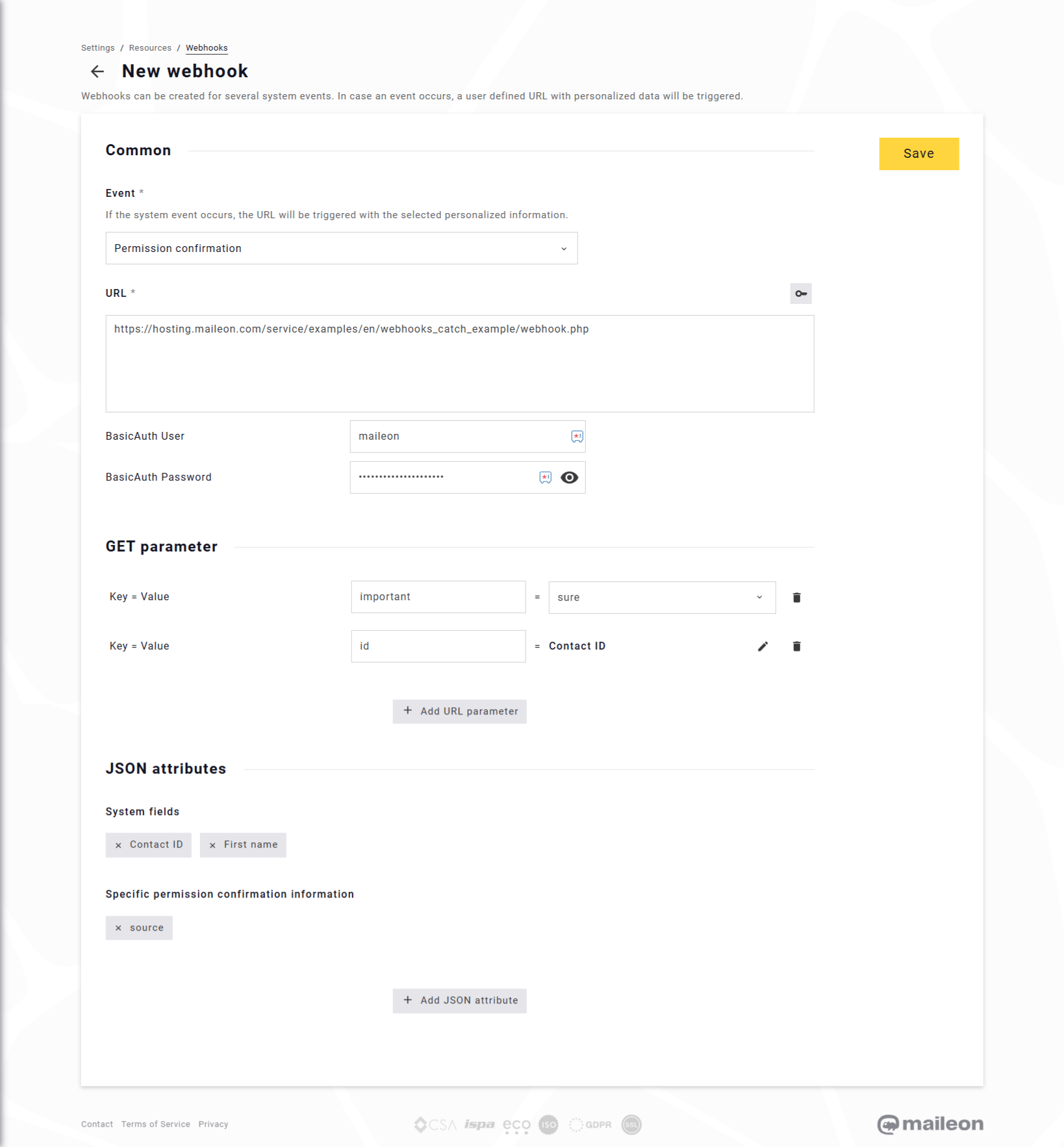
To configure a webhook, open the Webhook Wizard and select the event type you want to listen to (e.g., Unsubscribe, DOI Confirmation, Contact Field Change). The selected event determines when Maileon will trigger the webhook.
Note: you can also create webhooks using the API
HTTP Post URL
Enter the target URL that should receive the webhook.
This URL is the endpoint Maileon will call whenever the selected event occurs.
Authentication (optional)
Under Advanced Settings you can define HTTP Basic Authentication by entering a username and password.
If configured, Maileon will include these credentials in every POST request.
URL Parameters (optional)
You may add additional URL parameters using key–value pairs.
These parameters are appended to the webhook URL (e.g., ?important=sure) and can be used to pass simple static or contact-related values.
Due to GDPR and logging considerations, avoid placing sensitive personal data in URL parameters.
JSON Information (optional)
If you enable Integrate JSON information, Maileon will include a JSON body in the POST request.
You can selectively attach fields such as:
- Contact ID (submitted as string)
- Email address
- DOI information
- Timestamps (SQL datetime format)
- Custom fields
This provides a structured JSON object that your receiving system can parse.
For minimal data transmission, we recommend enabling only the Contact ID plus optional verification fields, and then retrieving additional details via the Maileon API.
The information is submitted as plain JSON object with Content-Type „application/json“.
{
  "contact_id": "1234567",
  "email": "example@domain.com",
  "timestamp": "2025-11-19 10:23:45",
  "method": "link"
}
Saving the Webhook
After completing your configuration, click Create Webhook to save the settings.
Maileon will immediately begin triggering the webhook for the selected event type using the defined URL, parameters, authentication, and JSON payload (if enabled).
Testing
After saving a webhook configuration, Maileon shows a button for test calls to the specified URL. The result of this dummy request is displayed directly in the interface. This allows you to verify that your endpoint is reachable, accepts the expected HTTP method, and responds correctly.
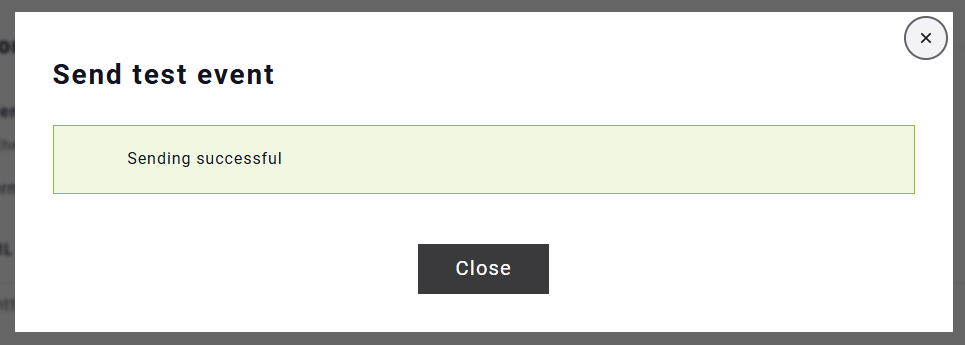
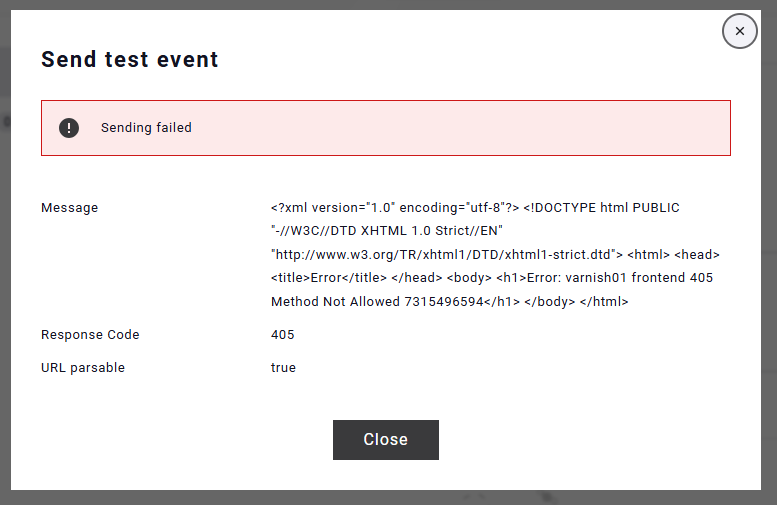
For more realistic end-to-end testing, we recommend performing integration tests using real Maileon events. For example:
- Create a test contact in Maileon.
- Trigger an event manually (e.g., click unsubscribe in the UI or complete a DOI process).
- Verify that your webhook endpoint receives the event as configured.
Maileon also provides a hosted example script for testing:
https://hosting.maileon.com/service/util/webhooks_debugger/index.php
This script displays the last received URL and JSON body, making it easy to debug your integration.
Important: This page uses a vault ID to separate customer data but still you must not send sensitive data to the webhook. Only use this tool to test a webhook with test data.